How to Upgrade Sync Screen the Right Way
Share
A small factory screen gets old fast once you start relying on navigation, backup cameras, wireless phone integration, and better touch response every day. If you are researching how to upgrade sync screen systems in a Ford truck or SUV, the real question is not just whether it can be done. It is whether you can do it without creating fitment issues, losing factory functions, or ending up with a generic setup that looks out of place in the dash.
For most owners, that is the line that matters. A screen upgrade should feel like it belongs in the vehicle, work with the factory electronics, and add the features your truck should have had from the start.
What upgrading a SYNC screen actually means
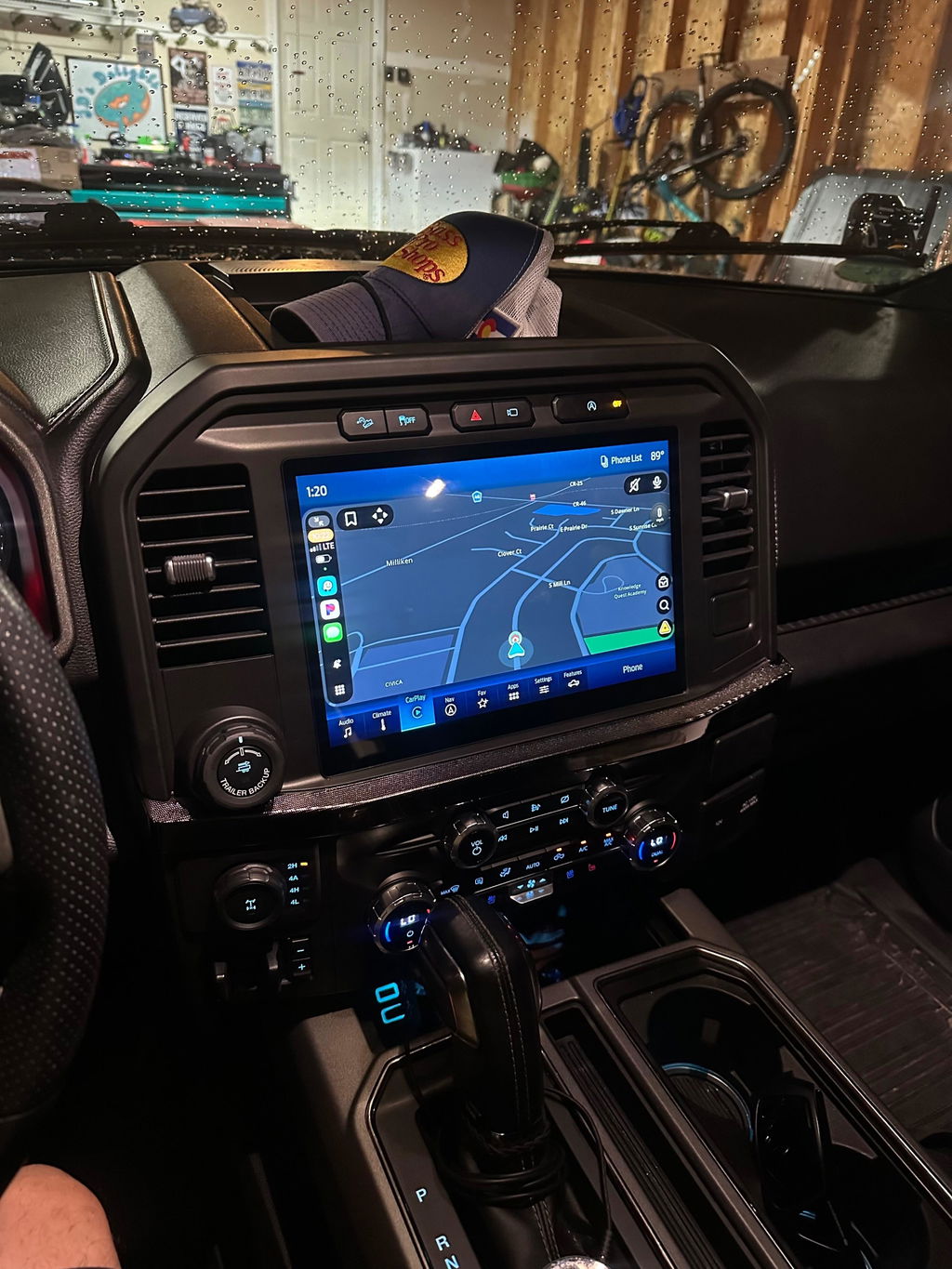
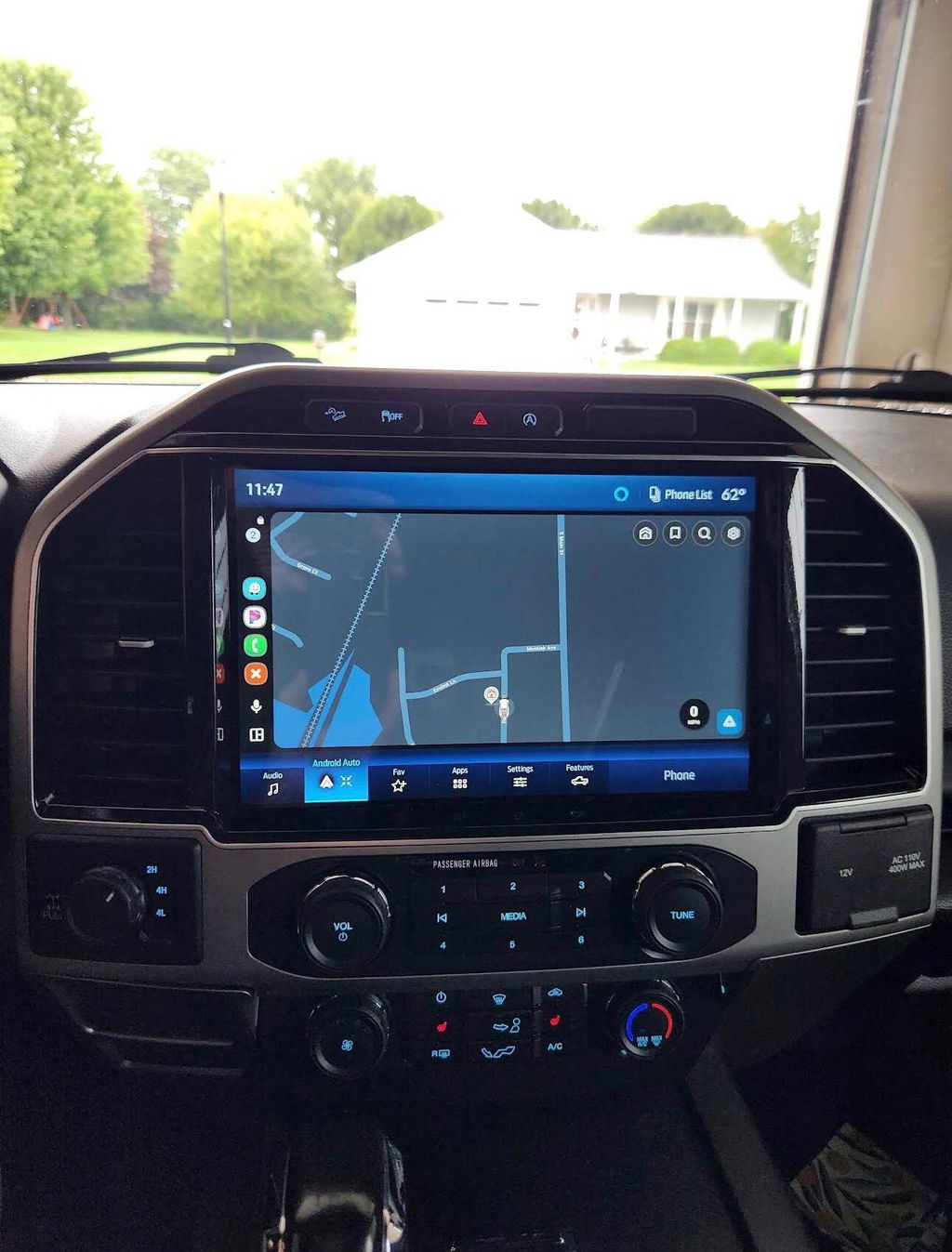
When people talk about a Ford SYNC screen upgrade, they are usually describing one of two things. The first is moving from a smaller factory display to a larger OEM-style touchscreen. The second is converting from an older SYNC generation to a newer system with better graphics, faster response, and improved smartphone integration.
Those are not the same job. A larger screen swap may also require a different bezel, media hub, programming, or supporting modules depending on the model year. A true system conversion can involve hardware and software changes that go beyond the screen itself.
That is why screen size alone is a bad way to shop. A cheap listing that says it fits multiple years or multiple Ford platforms often leaves out the hard part, which is making everything communicate correctly with the vehicle.
How to upgrade sync screen without creating new problems
The safest path is to treat the upgrade like a vehicle-specific electronics conversion, not a universal stereo install. Ford trucks and SUVs vary by generation, trim, climate control layout, factory camera setup, and original SYNC version. Even two trucks that look similar can require different parts.
If you want the upgrade to work like factory equipment, start with fitment first. That means checking the exact year, model, trim level, original screen size, and current infotainment system. If the truck has factory navigation, a 360 camera, heated seats in the screen controls, or steering wheel menu integration, those details matter.
A proper kit should account for those variables instead of forcing you to piece together parts one at a time. Plug-and-play matters here because it reduces the number of failure points. It also lowers the odds of chasing electrical issues after the install.
Why OEM-based upgrades make more sense than generic aftermarket screens
There is a reason truck owners who care about fit and finish usually lean toward OEM-based upgrades. Factory-style components are designed around the dash layout, vehicle communication systems, and original feature set. That means fewer compromises in appearance and fewer surprises once the truck is back together.
A generic aftermarket unit can look attractive on price, but the trade-off usually shows up later. You may lose factory menus, get inconsistent camera behavior, need extra adapters, or end up with a screen that feels out of place in a late-model truck. Some setups work fine for basic audio, but that is different from preserving the factory experience while upgrading the interface.
OEM-based kits cost more for a reason. You are paying for compatibility, cleaner integration, and a more predictable result.
Fitment checks that matter before you buy
If you are serious about how to upgrade sync screen systems correctly, there are a few details that deserve extra attention before ordering parts.
First, confirm the current SYNC generation in the vehicle. A truck equipped with an older SYNC version may need more than a display swap to gain modern features like Apple CarPlay or Android Auto. Second, verify whether your dash uses different trim panels or control layouts based on screen size. Third, check if your current USB hub, camera system, or factory options need to be updated along with the screen.
This is where vehicle-specific product support makes a difference. A proper listing should tell you what model years are covered, what original setups are compatible, and whether programming is included or required. If those details are vague, assume the install will not be simple.
Features worth upgrading for
A larger screen is the most visible benefit, but it should not be the only reason to upgrade. The better value usually comes from the daily-use improvements. Faster boot times, sharper graphics, improved menu layout, factory-style navigation support, and wireless smartphone integration make more difference over time than screen size by itself.
For many Ford owners, the real upgrade is convenience. Wireless Apple CarPlay and Android Auto cut down on cable clutter. A more responsive touchscreen makes camera use and menu changes less frustrating. If you spend real time in the truck, those gains add up quickly.
There is also the resale factor. A clean OEM-style infotainment upgrade tends to look like a premium trim feature, not a modification done on a budget. That matters if you want the truck to stay current without looking overbuilt inside.
Installation: simple does not always mean easy
A plug-and-play kit can make installation far more straightforward, but that does not mean every truck owner should go in blind. Dash disassembly, screen mounting, trim removal, and module handling still require patience. On some vehicles, programming or setup steps are part of the process as well.
If you are comfortable removing interior panels and following vehicle-specific instructions, many OEM-style screen upgrades are manageable in a home garage. If you are not, there is no shame in using a professional installer. The goal is not proving a point. The goal is ending up with a system that works properly the first time.
The biggest mistake is assuming all plugs that physically connect are automatically correct for the vehicle. Modern infotainment systems are tied into cameras, steering wheel controls, climate functions, and vehicle settings. That is why exact-fit kits matter more than universal compatibility claims.
Cost versus value
A Ford SYNC screen upgrade is not the cheapest modification you can make, but it can be one of the most noticeable every time you drive. The value comes down to how much factory functionality you keep and how much capability you gain.
If a lower-priced option leaves you with missing features, poor screen response, or a hacked-up dash fit, it stops being a deal. On the other hand, a properly matched OEM-based conversion can make an older truck feel years newer without changing the character of the vehicle.
That is usually the smarter way to look at it. Compare total result, not just initial cost. A clean install with genuine or OEM-based components often saves money compared to replacing a bad setup later.
When a screen upgrade is worth it
Not every truck needs one right away. If your current system already supports the features you use and the screen size does not bother you, the return may be smaller. But if you are dealing with outdated software, a small display, no smartphone integration, or a factory interface that feels behind the rest of the vehicle, the upgrade is easy to justify.
It also makes sense if you are already improving the truck in ways that increase daily usability. Interior tech is one of the few upgrades you notice on every commute, every jobsite run, and every road trip. That gives it a different kind of value than appearance-only modifications.
For owners who want modern function without giving up the factory look, this upgrade sits in a strong middle ground. It is practical, visible, and tied directly to how the truck gets used.
The right way to choose a kit
The best buying decision usually comes down to three things: exact fitment, OEM-style integration, and clear feature support. If a kit is built for your model year and original configuration, preserves factory operation, and adds the features you actually want, you are on the right track.
That is the standard serious buyers should use. Not biggest screen. Not cheapest price. Not broadest fitment claim. Exact compatibility wins.
DD Offroad’s approach to these upgrades reflects what truck owners usually want in the first place: OEM Genuine Components, Plug and Play installation, and clear model-specific fitment that cuts down guesswork.
A good screen upgrade should make the truck feel newer every time you start it, not leave you troubleshooting what stopped working after the install.