Ford Screen Retrofit: OEM Upgrade Basics
Share
A Ford screen retrofit is not just a larger display dropped into the dash. On modern Ford trucks and SUVs, the screen, infotainment module, USB hub, radio controls, camera settings, and vehicle configuration all need to work together. Get the combination right and the result looks factory-installed. Get it wrong and you can end up with missing features, warning messages, or a screen that powers on but never fully functions.
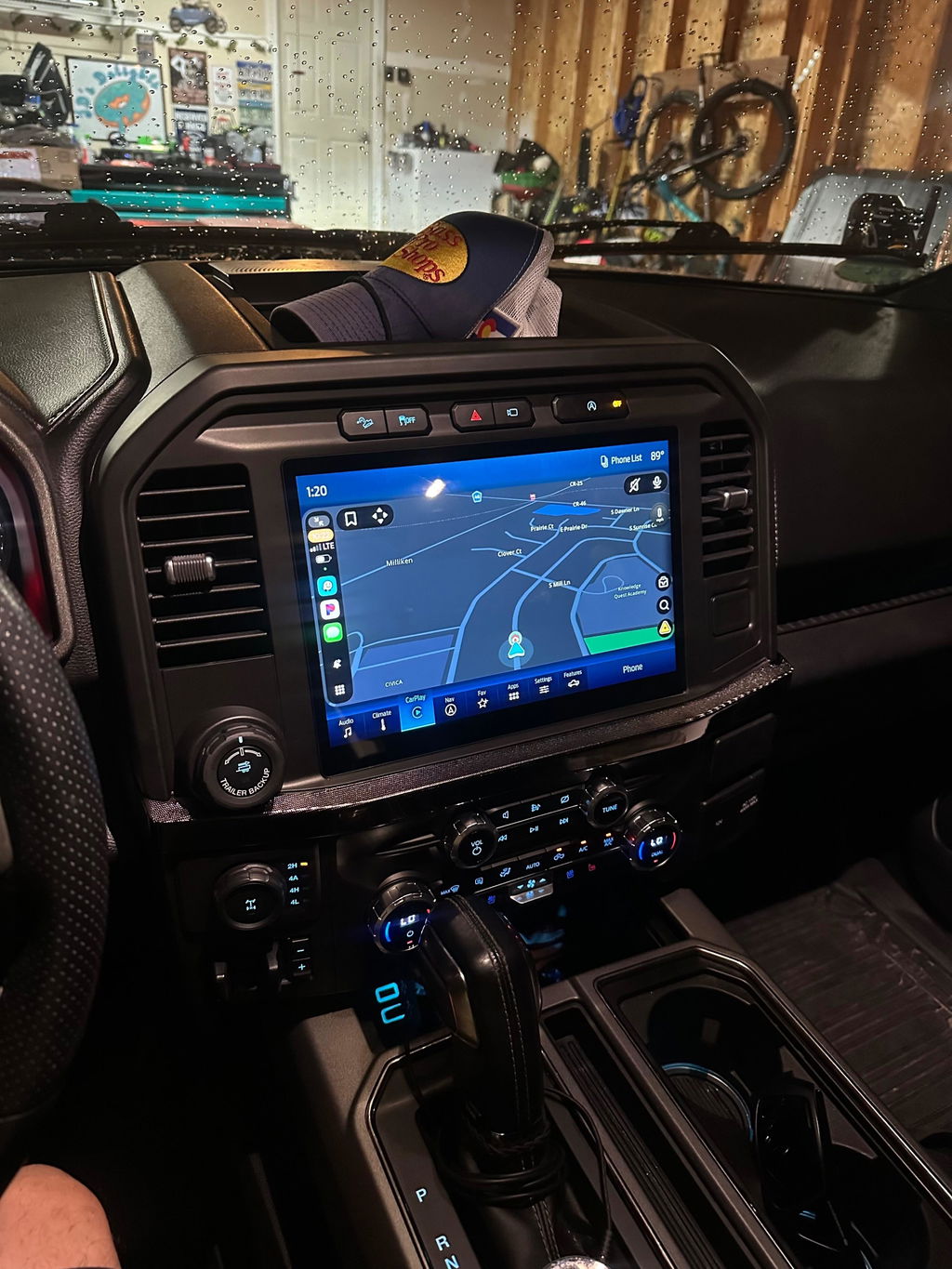
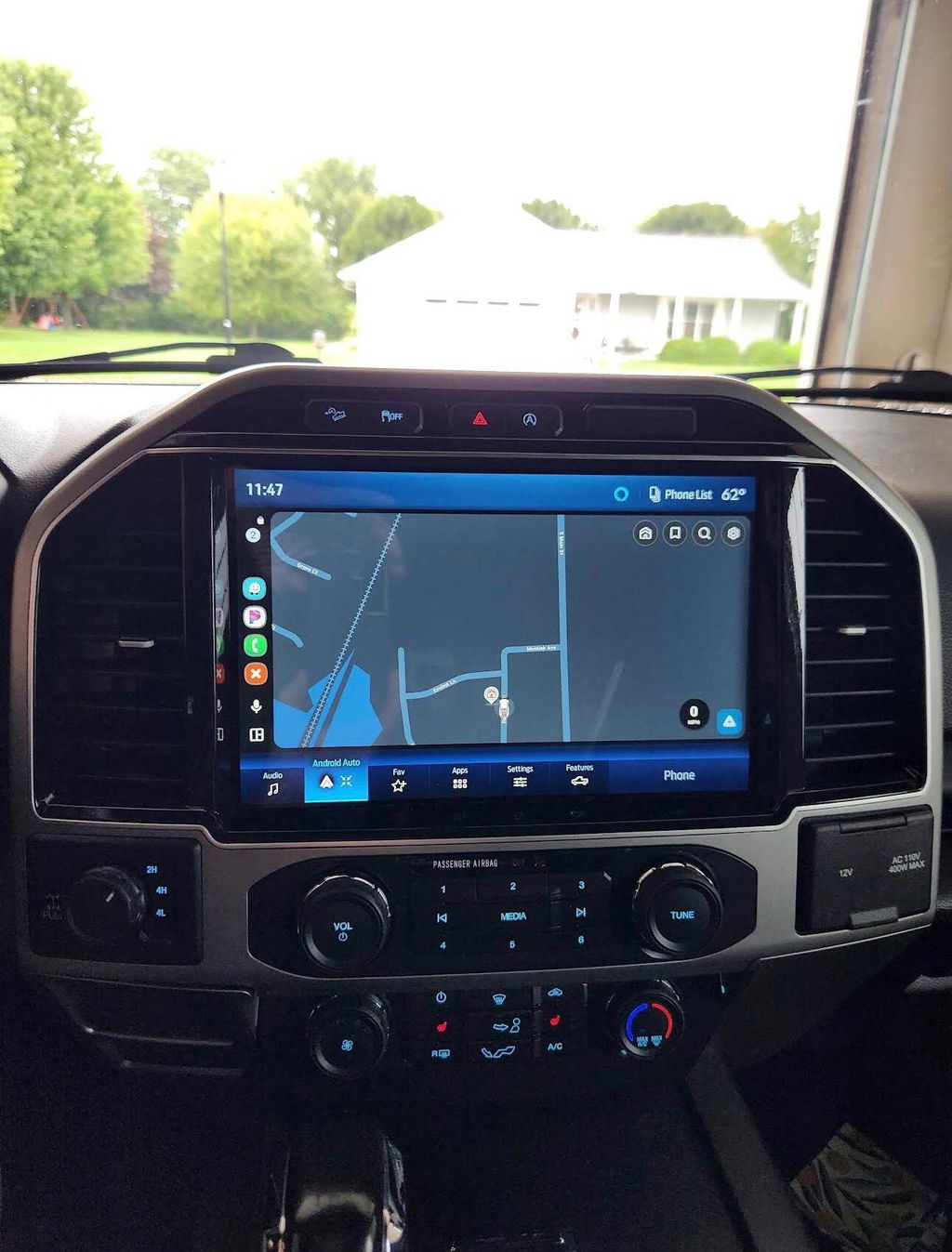
For F-150, Super Duty, Maverick, and Expedition owners, an OEM-based retrofit is often the cleanest path from a basic factory radio to a more capable SYNC system with a larger touchscreen, Apple CarPlay, Android Auto, navigation capability, or improved camera integration. The key is choosing a vehicle-specific package instead of assuming that any Ford screen with the same connector will fit.
What a Ford Screen Retrofit Actually Includes
A proper retrofit usually involves more than the visible touchscreen. Ford infotainment systems are built as a network of factory components, and their requirements vary by generation, trim level, and original equipment.
The screen is the part you touch, but it may need to be paired with the correct APIM, or Accessory Protocol Interface Module. The APIM runs the SYNC interface and determines which software features the system can support. In many conversions, the screen and APIM are matched together as one assembly. That pairing matters because a display that physically fits may not communicate correctly with an older or incompatible module.
Depending on the truck, a complete Ford screen retrofit can also require a model-specific dash bezel, wiring harness, USB media hub, GPS antenna, audio control interface, and programming. If the upgrade adds factory navigation or satellite-radio functions, those features may need additional hardware or activation. Trucks equipped with an OEM backup camera, 360-degree camera system, trailer camera package, heated steering wheel, climate controls, or steering-wheel buttons need the correct configuration so those functions remain available through the new screen.
That is why factory-style kits are the better choice for owners who want reliable results. They package the parts around the vehicle rather than asking the vehicle owner to piece together modules from different trims, model years, or salvage listings.
Why OEM Components Make Sense
There are universal aftermarket screens that offer a large display and a long feature list for a low price. Some work well in the right application. The trade-off is that integration can be inconsistent, particularly in trucks where the radio screen handles more than music and maps.
An OEM-based upgrade is designed around the Ford electrical architecture. That helps preserve the controls and information owners use every day: steering-wheel audio controls, factory microphone operation, camera views, parking sensors, door chimes, climate menus, and vehicle settings. It also keeps the dash looking like it belongs in the truck instead of adding an oversized tablet-style unit with exposed adapters or custom trim work.
OEM Genuine Components are especially valuable on work trucks and tow vehicles. When the truck is used for a job site, a long highway pull, or a weekend off-road trip, the infotainment system needs to turn on, connect, and display camera information without becoming another project. A plug-and-play, vehicle-specific approach reduces the wiring modifications and troubleshooting that often come with generic electronics.
There is still a cost consideration. A true OEM Ford screen retrofit generally costs more than a universal head unit because it uses factory parts, correct trim pieces, and compatible modules. The higher upfront cost can be worth it when factory fit, retained features, and clean installation are the priority.
Start With Your Ford's Existing System
Before selecting an upgrade, identify exactly what is installed in the truck now. The model year alone is not enough. Ford can use different screen sizes, SYNC versions, connector layouts, and option packages within the same vehicle generation.
First, confirm the year, model, cab or body style where applicable, and trim. Then note the current screen size and whether the system is SYNC 2, SYNC 3, SYNC 4, or a basic non-touchscreen radio. A 2015 F-150 with the small base display is a different starting point than a 2015 F-150 equipped with an 8-inch SYNC system, even though both trucks share the same year and platform.
Next, check the features you need to retain. Factory backup camera support is common, but 360-degree camera systems, trailer camera inputs, premium audio, navigation, and physical climate-control layouts can change the parts required. If your truck has an amplifier or premium branded audio system, the kit must account for it. Do not assume an upgrade intended for a standard audio truck will operate correctly with a premium-audio setup.
Finally, look at the USB ports. Older Ford systems may use a media hub that does not support Apple CarPlay or Android Auto. Installing a newer screen without the compatible USB hub can leave smartphone projection unavailable or limited to charging. A complete kit should address that detail up front.
Features Worth Upgrading For
The right screen upgrade should solve a real limitation in the factory system. For many owners, the most practical gain is wired or wireless Apple CarPlay and Android Auto. Phone-based navigation, hands-free calls, text messaging, and music apps are easier to use on a factory-style touchscreen than through an older Bluetooth-only system.
A larger display can also improve daily usability. Camera views are easier to see when backing into a tight driveway, lining up a trailer, or navigating a crowded job site. On trucks with integrated vehicle settings, a current OEM interface can make those menus more intuitive without changing the factory controls around them.
Navigation is another consideration, but it depends on how you drive. If you routinely travel through areas with weak cell coverage, onboard navigation may be useful. If your phone already handles navigation and data coverage is reliable, CarPlay or Android Auto may provide everything you need. Paying for a navigation-capable module only makes sense when you will use it.
Wireless smartphone integration is convenient, but it is not automatically better for every owner. Wireless connections reduce cable clutter, while a wired connection can provide a more stable link and charge the phone during long trips. Choose based on how the truck is actually used, not just the newest feature on the box.
Ford Screen Retrofit Fitment Checks
Fitment is where most retrofit problems begin. A screen may look identical to another unit online while having different hardware, software, or vehicle configuration requirements. The safest route is a kit specified for the exact Ford platform and original system.
Verify these details before ordering:
- Vehicle year, model, trim, and original screen or radio configuration.
- Whether the truck has a factory backup camera, 360-degree cameras, trailer cameras, or parking sensors.
- Standard audio versus premium amplified audio.
- Desired functions, including CarPlay, Android Auto, navigation, SiriusXM, or wireless connectivity.
- Whether programming is included or required after installation.
A quality vehicle-specific kit should make clear what is included, what must be reused from the truck, and whether any setup is necessary. That clarity is more valuable than buying a screen based only on its part number or appearance.
Installation: Plug and Play Does Not Mean Guesswork
Plug and play means the kit is designed to work with factory-style connectors and avoid cutting into the vehicle harness. It does not mean every retrofit is a five-minute job. Dash trim must be removed carefully, modules must be mounted securely, and all connectors need to be fully seated before reassembly.
Disconnect the battery when the kit instructions call for it, protect the dash surfaces, and keep screws and trim clips organized. Before reinstalling the bezel, test the screen, audio output, steering-wheel buttons, USB connection, backup camera, and climate controls. It is far easier to correct a connector issue while the dash is open than after every panel is back in place.
For owners comfortable removing interior trim and following vehicle-specific instructions, many OEM screen upgrades are manageable driveway projects. If programming, camera systems, or premium audio create uncertainty, professional installation is a practical choice. The goal is not simply getting the screen to light up. The goal is leaving every factory function working correctly.
Buy the Upgrade That Matches the Truck
The best Ford screen retrofit is not necessarily the biggest screen or the newest module available. It is the package that matches your truck's year, factory equipment, and intended use. An F-150 used for commuting may benefit most from wireless phone integration. A Super Duty used for towing may place more value on camera retention and dependable navigation. A base-model work truck may need an all-in-one conversion that brings modern features to a basic radio setup.
DD Offroad focuses on the details that make those upgrades work: OEM-based components, vehicle-specific compatibility, plug-and-play installation, and factory-grade functionality. Take the extra minute to verify the original system before ordering. That small step is what turns a screen swap into an upgrade that feels like Ford built it that way.