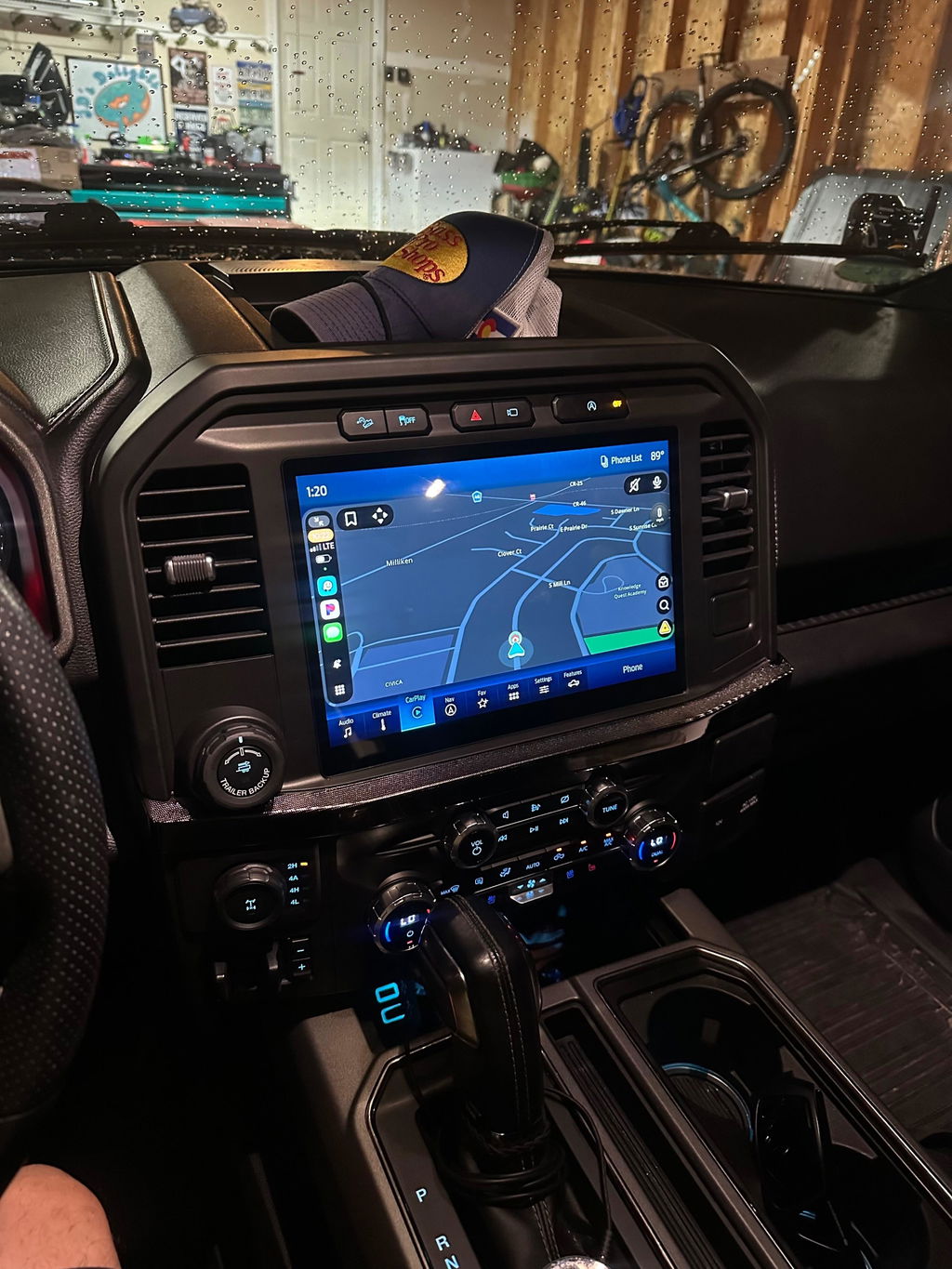
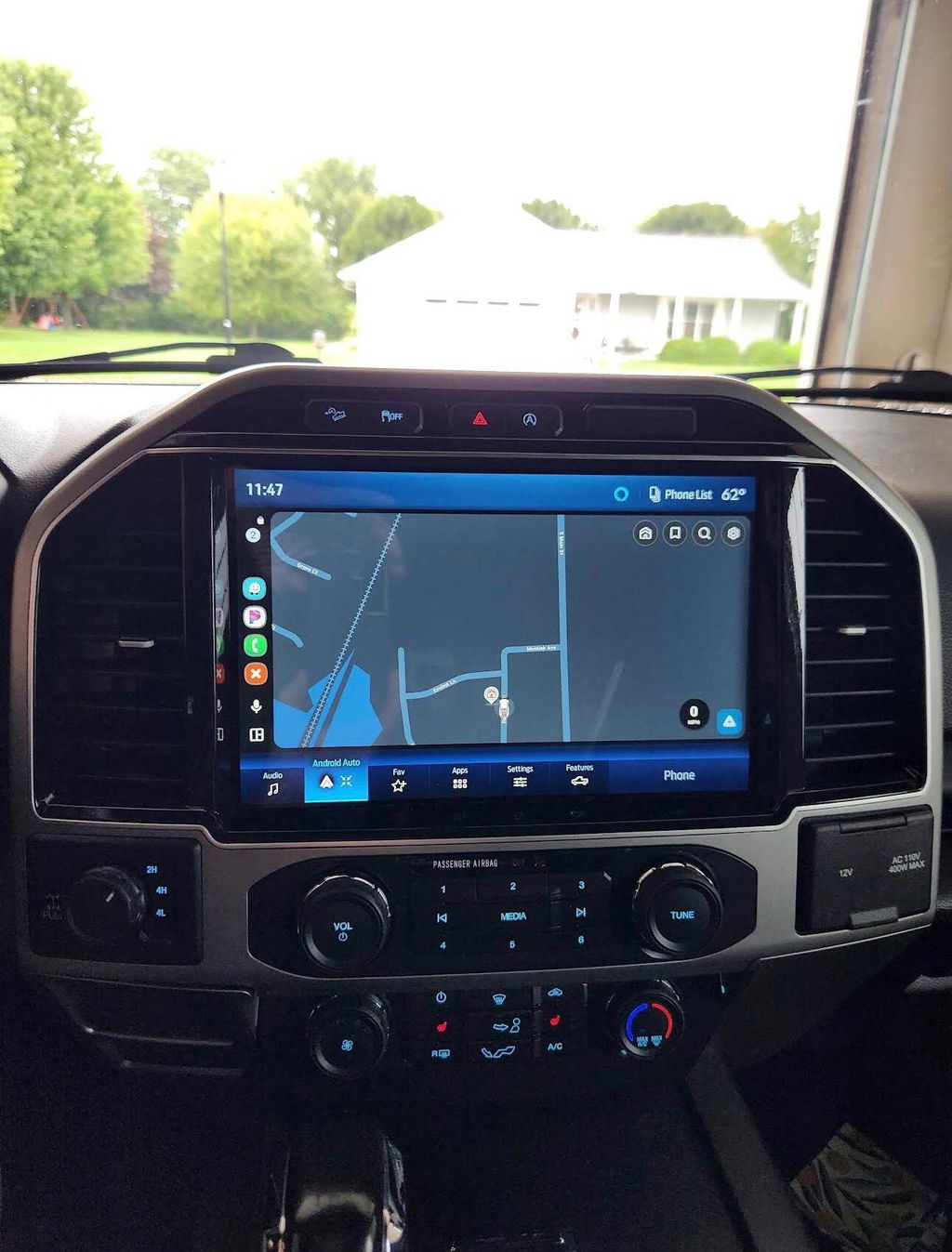
F150 OEM Screen Swap Guide
Share
A small factory screen can make a newer truck feel older than it is. If you are planning an infotainment upgrade, this f150 oem screen swap guide is built to help you avoid the two problems that slow most installs down - bad fitment and missing components.
For F-150 owners, an OEM-style screen conversion usually makes more sense than a generic universal radio. You keep a factory look, you avoid hacked-up trim, and you have a better chance of retaining the features you already use every day. That said, not every screen swap is as simple as plugging in a larger display. The exact path depends on your model year, your original infotainment setup, and whether your truck needs programming to recognize the new hardware.
What an F150 OEM screen swap really involves
Most buyers picture the upgrade as replacing one screen with a bigger screen. In practice, the screen is only one part of the system. On many F-150 setups, the display, APIM module, dash bezel, wiring, USB media hub, and software version all affect whether the swap works correctly.
That matters because a physically compatible screen is not always electronically compatible. You can bolt in a display that fits the opening and still end up with missing climate controls, no CarPlay, a backup camera issue, or a black screen on startup. OEM-based kits solve that by grouping the correct parts around a specific truck configuration instead of making you source every piece one at a time.
The biggest advantage of staying OEM is factory integration. Steering wheel controls, factory microphones, backup cameras, satellite radio functions, and vehicle settings are more likely to work the way they should when the system is built around Ford hardware and correct programming. If your goal is a larger screen with modern functionality and a stock appearance, that is usually the cleaner path.
F150 OEM screen swap guide: start with fitment
Before you compare screen sizes or features, confirm three things - truck year range, current screen size, and current system generation. That is the baseline for any accurate parts match.
Ford changed infotainment hardware across F-150 generations, and even within the same body style there can be differences in connectors, trim design, and software. A truck with a basic 4-inch screen does not follow the same upgrade path as one that already has an 8-inch SYNC setup. The trim panel, module requirements, and harness needs can be very different.
Your current system also affects what features are realistic. If you are moving from a low-level factory radio to a larger OEM screen, expect more components and a more involved installation. If you are upgrading within the same SYNC family, the swap is usually more straightforward.
The cleanest way to approach it is to identify:
- Your F-150 model year
- Your existing screen size and radio style
- Whether the truck currently has SYNC and which version
- Whether you want to retain all factory functions
- Whether you need Apple CarPlay, Android Auto, navigation, or all three
OEM swap vs aftermarket head unit
There is a reason many truck owners who first looked at aftermarket radios eventually move back toward OEM-style upgrades. Universal units can offer large screens and feature-heavy menus, but they often trade away fit and integration.
With an aftermarket setup, you may need extra modules to retain steering wheel controls, climate display information, factory camera functions, or warning chimes. Even then, operation can feel patched together. Screen graphics may not match the dash, boot times can be inconsistent, and some systems age fast.
An OEM screen swap usually costs more up front, but it is the better fit for buyers who care about factory appearance and reliable everyday use. It depends on priorities. If you want maximum customization and do not care about a factory look, aftermarket can still work. If you want the truck to feel like it came that way from Ford, OEM-based is the stronger choice.
Parts that are commonly required
A proper F-150 screen conversion often includes more than the display itself. Depending on the truck, you may need the screen, APIM, dash bezel, vehicle-specific harnessing, USB hub, and programming support.
The APIM is one of the most overlooked pieces. It acts as the interface module behind the infotainment system, and on many Ford upgrades it is just as important as the screen. A mismatch between display and module can cause partial functionality or complete failure.
The media hub matters too, especially if your goal is factory-style CarPlay or Android Auto support. Some older hubs do not support the newer smartphone integration features even if the main screen and module do. This is where buyers get tripped up when piecing together used parts from multiple donor vehicles.
A complete, vehicle-specific kit reduces that risk because the compatibility work is already handled. That is a major reason OEM-based plug and play upgrades appeal to truck owners who want the result without turning the dash into a test bench.
Programming and configuration
This is where an F150 OEM screen swap guide needs to be realistic. Some swaps are close to plug and play. Others still require module configuration or VIN-specific programming before everything works correctly.
Programming may be needed to enable factory features, clear errors, match screen behavior to the truck, or ensure proper communication between modules. Without it, the system can power on but still have issues with audio, camera display, menu layout, or feature access.
That does not mean the project is complicated for every owner. It means you should know up front whether your kit includes pre-programmed components or whether an additional setup step is required. For most buyers, that answer changes the whole installation experience.
If you are comparing used take-off parts against a complete kit, this is one of the biggest differences in value. The cheaper pile of parts can become the more expensive option once you add missing harnesses, trim, programming, and troubleshooting time.
Installation expectations
Most F-150 screen swaps are manageable for owners who are comfortable removing interior trim and following a vehicle-specific installation process. You do not usually need custom fabrication with a proper OEM-based kit, but you do need patience.
Expect to remove the dash bezel carefully, disconnect the original screen and module components, route any required harnesses, install the new bezel and screen assembly, and then verify that all functions operate correctly before final reassembly. Working slowly matters more than working fast. Broken trim clips and rushed connections create more problems than the electronics themselves.
It also pays to test everything before buttoning the dash back up. Check audio, climate interface if applicable, USB connectivity, Bluetooth, backup camera function, steering wheel controls, and phone integration. If your truck has factory options like heated seats or specific menu controls tied into the infotainment system, verify those too.
Features worth upgrading for
A larger OEM screen is not just about looks. For many F-150 owners, the real benefit is bringing daily usability up to current standards.
Wireless or wired Apple CarPlay and Android Auto are often the biggest draw because they improve navigation, messaging, music control, and hands-free use without relying on dated factory software alone. The bigger display also makes camera views easier to read and menus less cramped, which matters in a truck that gets used for towing, work, or long highway miles.
Navigation can still matter if you want onboard mapping without relying on a cell signal all the time, but for some buyers it is lower priority than smartphone integration. That is one of those it depends decisions. A work truck in rural areas may benefit more from factory navigation than a daily driver in the suburbs.
Common mistakes to avoid
The first mistake is buying by screen size alone. A 12-inch or 8-inch display sounds like the main upgrade, but without the correct supporting components it can turn into a dead-end purchase.
The second is assuming every OEM part from the same generation is interchangeable. Ford hardware can vary by year, trim, and original option package. Close enough is usually not good enough with infotainment parts.
The third is underestimating the value of a complete kit. Sourcing individual used components can look cheaper on paper, but mismatched parts, cosmetic wear, missing connectors, and programming issues add up fast. For buyers who want a clean install with predictable results, a vehicle-specific package from a specialized source like DD Offroad is usually the safer route.
Is an OEM screen swap worth it?
If your current F-150 screen feels outdated, the OEM route is often the best balance of appearance, function, and long-term usability. You get a factory-style upgrade that fits the truck instead of fighting it.
The key is buying for your exact truck, not for a generic F-150 label. Match the year, match the original system, and make sure the package accounts for the screen, module, harnessing, and any required programming. Do that, and the upgrade tends to feel less like an aftermarket add-on and more like the truck finally got the interior it should have had from the start.
A good screen swap should not leave you wondering what stopped working. It should make the truck easier to use every time you turn the key.